
Bring the entire Joker123 platform with you everywhere. Install the official app in under 2 minutes and enjoy full gaming, live Sports Betting and exclusive promotions wherever you are.
The Joker123 app is available for Android, iOS and direct browser access — choose based on your device.
A lightweight APK file that installs directly without going through the Google Play Store. Compatible with all Android 6.0 and above devices with a straightforward installation process in just a few steps.
Built specifically for iPhone and iPad with an interface optimised to Apple's guidelines. Fully supported on iOS 13.0 and above, including the latest iPhone models.
Access directly from your browser with nothing to download. The Joker123 website is fully responsive and runs smoothly on Chrome, Safari, Firefox and Edge on any device.
Many players ask — should I download the app or just use the web version? The answer depends on your playing style, but for the majority of active Malaysian players, the joker123 mobile app offers a noticeably better experience in almost every aspect.
First, speed. The native app loads faster than the website because game data and the interface are stored locally on your phone. That means shorter wait times, smoother animations, and near-instant transitions between games. For live sports betting where every second counts, this is a significant advantage.
Second, push notifications. Exclusively through the app, you can receive alerts directly to your phone for betting results, major odds changes, time-limited promotional offers and match result updates. You don't need to sit in front of a screen all day to avoid missing any opportunity.
Third, the full-screen experience. The Joker123 app makes full use of your phone's screen — from high-resolution video slot games to detailed Sports Betting statistics displays. No browser address bar taking up space, no ad pop-ups, just pure gameplay.

Follow these simple steps and you can start playing in under 3 minutes.
Go to Settings > Security > Unknown Sources and enable this option. On Android 8.0 and above, you only need to allow your internet browser permission to install apps from external sources.
Log in to your account on the Joker123 website and go to the Download section. Click the Android download button and wait for the APK file to be saved to your phone's Downloads folder.
Open your file manager or notification panel and tap the downloaded APK file. Follow the on-screen installation instructions — the process takes under 30 seconds.
Once installation is complete, the joker123 icon will appear on your phone's home screen. Open the app, enter your login credentials, and start playing right away.
IPhone and iPad users can easily follow these iOS-specific steps below.
Make sure you are using the Safari browser that comes built into your iPhone. Some iOS download functions may not work correctly on third-party browsers such as Chrome or Firefox.
Log in to your account and select the iOS download option. The system will automatically detect your device and offer the appropriate file for your iPhone or iPad.
IOS will prompt you to allow installation of a configuration profile. Go to Settings > General > Device Management and trust the joker123 developer profile. This is standard procedure for all apps installed outside the App Store.
The Joker123 app icon will appear on your iPhone's home screen. Log in with your account and all your betting records, balance and promotions will be ready and waiting.
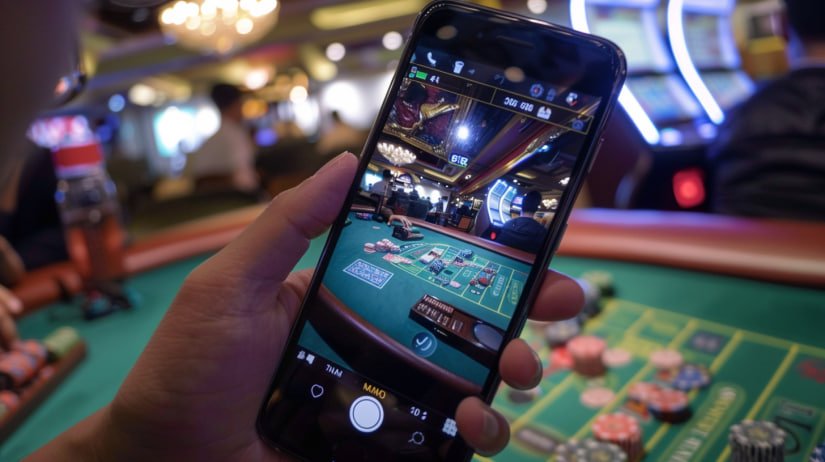
The Joker123 mobile app is more than a trimmed-down version of the website — it's a full platform with everything you need for a complete, comfortable gaming experience.
Full access to the entire Joker123 Game Lobby including video slots, table games, Live Casino and bingo — all in one app.
Place bets on football, badminton, esports, and 30+ other sports with real-time odds, right from your phone screen, wherever you are.
All local payment methods — FPX, DuitNow QR, digital wallets, and bank transfers — are fully available in the app with 256-bit SSL encryption.
Receive notifications for betting results, time-limited promotions, bonus credits, and sports score updates delivered straight to your phone's lock screen.
Use fingerprint or Face ID to log in securely and quickly without typing your password every time you open the app.
Choose between a light theme or dark mode to suit your eyes. Dark mode is ideal for playing at night or in low-light environments.
Both options work well, but the app offers several distinct advantages for active players.
| Feature | Mobile App | Web Version |
|---|---|---|
| Load Speed | Faster | Depends on network |
| Push Notifications | Yes, full | Not available |
| Biometric Login | Fingerprint / Face ID | Not available |
| Dark Mode | Yes | Limited |
| Full Game Library | Yes, all | Yes, all |
| Deposit & Withdrawal | Yes, full | Yes, full |
| Download Required | Yes (45–52 MB) | Not required |
| Automatic Updates | Manual (occasional) | Always Up to Date |
The question new users ask most often is about safety. Is it safe to download the Joker123 APK? The answer is straightforward — yes, completely safe, as long as you download from official Joker123 sources only.
The Joker123 app uses 256-bit SSL encryption for all data communication between your phone and our servers. This means your login credentials, payment details and betting records cannot be intercepted or read by third parties during transmission.
On the account security front, Joker123 supports two-factor authentication (2FA) which you can enable directly in the app's account settings. Every login attempt from a new device will require additional verification via email or SMS — an extra layer of protection that is strongly recommended for all users.
The app also features an anomaly activity detection system. If a login attempt is made from an unfamiliar location or unrecognised device, the system will send you an immediate alert and automatically block that session until you verify your identity.
For Android users, it is important to remember to only download the APK file from the official joker123 website. Avoid downloading from third-party websites, forums, or links shared in Telegram or WhatsApp groups where the source is uncertain. Modified APK files from unofficial sources may contain malware that compromises your device security and personal data.

The Joker123 app is designed to run well on a wide range of devices — from entry-level phones to the latest flagships. That said, for the best experience especially when playing Live Casino games or streaming real-time Sports Betting, there are a few things worth keeping in mind.
For Android, the recommended minimum specs are 2GB RAM with at least 100MB of free internal storage. Phones with 3GB RAM or more will deliver smoother performance, especially when switching between multiple games. A Snapdragon 450 processor or equivalent is sufficient for all games in the joker123 catalogue.
For iOS, an iPhone 7 or later running iOS 13 is sufficient for all app functions. However, to enjoy live casino game graphics and video slot animations at the highest quality, an iPhone XS or newer with the A12 Bionic chip is the best choice.
On the connectivity side, Joker123 is optimised to run on 4G LTE networks with efficient data usage. For Live Casino games with video streaming, a connection speed of at least 5 Mbps is recommended. On home or office WiFi, you won't encounter any issues with any major internet provider in Malaysia.
Every joker123 app update released periodically brings performance improvements, bug fixes, and sometimes new features. You will receive an in-app notification when a new version is available — the update process takes only a few minutes and does not affect your account data or records.
Register a free account now, download the app and claim your welcome bonus. Over 500 games and 1,500+ sports matches every week are waiting for you — all in the palm of your hand.
Answers to the most frequently asked questions about the Joker123 mobile app.